
How to Generate QR Codes in Bulk from a CSV File
Learn how to automate the process of creating hundreds or thousands of unique QR codes using a CSV import or an API integration.

How to Create Multiple QR Codes at Once
A single product line needs fifty different labels. A restaurant menu has dozens of unique items. Each item requires its own tracking link and a corresponding QR code. Creating these manually one by one is slow, and it leads to errors. One typo in a URL can mean a dead link on a physical tag or a package.
Using a CSV Import for Batch Processing
A spreadsheet is often the most efficient way to manage large inventories of products or assets. When you have hundreds of unique items, creating each code one by one is a slow process that leads to errors. A single typo in a manual entry can result in a dead link or a product page that does not match the label. A CSV import allows you to upload a list of URLs and generate codes for every item at once. This method ensures consistency across your entire inventory. Each code remains unique and trackable, so you can see which specific items are get scanned more often than others. By using a ML-driven approach, you can automate the scan data collection. You can then analyze these results to identify trends or find products that are engage more frequently.
Integrating via API for Automated Workflows
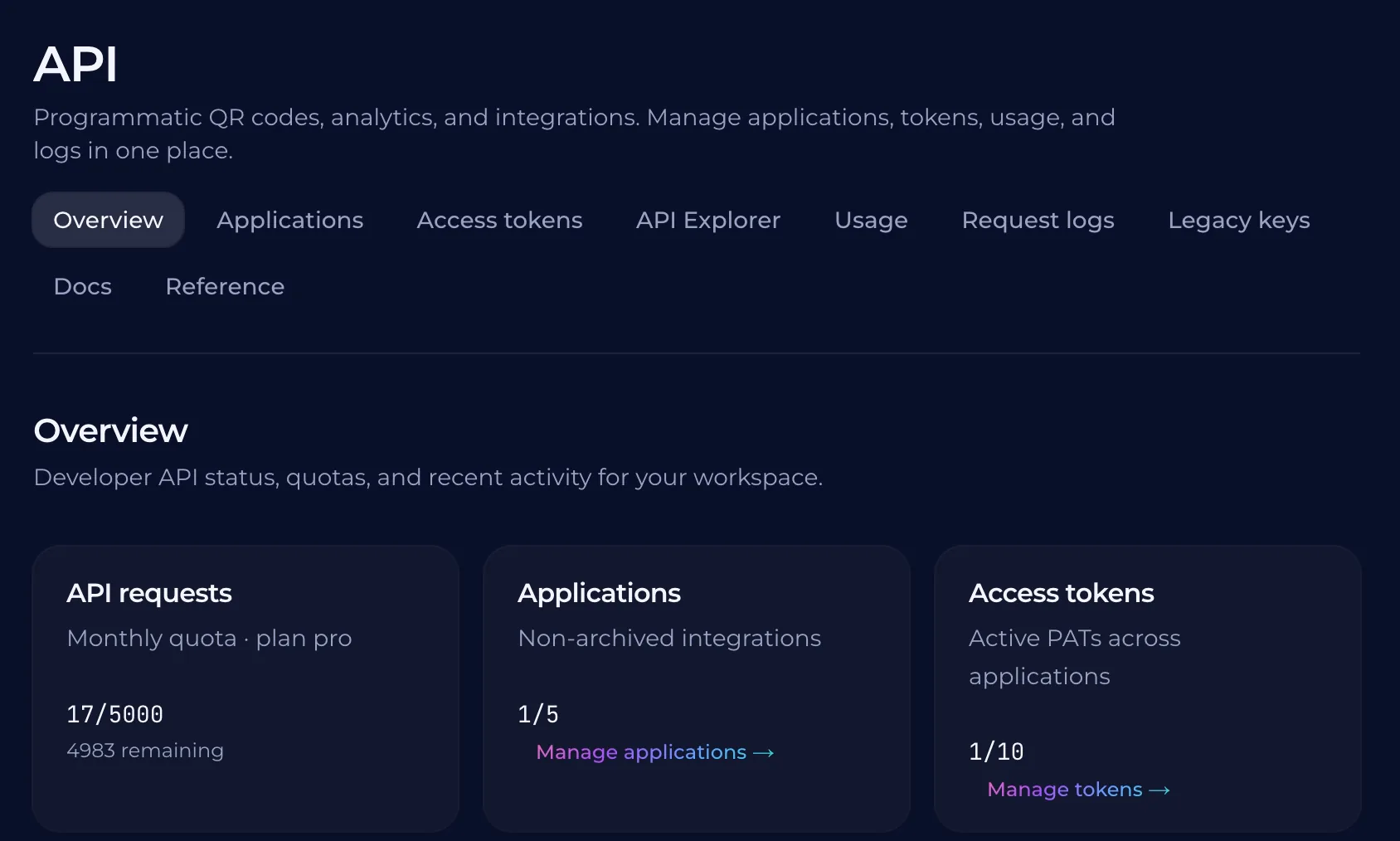
Manual entry is a bottleneck when you need to create hundreds or thousands of unique codes. If your team already uses a database or an inventory system, connecting it directly to a tool that generates QR codes can automate the way you manage assets. A QURL API allows you to pull these codes into your own software. This means your internal systems can trigger code creation automatically whenever a new product is added or a campaign starts. You do not have to manually create each link and then generate a code for it. By using the API, every code remains trackable in your dashboard. Your team can manage large volumes of scale without the manual work of creating one by one. This keeps your data consistent across both platforms.
Managing Individual Analytics for Every Code
A single QR code on a product label might get thousands of scans. A different code on a backer card or a shelf tag may only get dozens. When you create codes in bulk, you need to know which specific asset is performing well and which one is failing. Tracking each code individually allows you to see the exact source of an offline campaign. You can identify if a customer scanned a code on a flyer at a market or a sticker on a product box. This data helps you decide where to invest more resources next time. QURL tracks scan counts, device types, and general locations for every unique code in your batch. Because each link is dynamic, the analytics are tied to the specific QR code rather than just the landing page. You can see how many people interacted with a specific item without mixing up the data from other items in your inventory.
Why Dynamic QR Codes Matter for Bulk Production
A printed flyer or a product badge has a fixed physical location. Once it is in the hands of your customers, you cannot change where that link leads. Static codes fail if a promotion ends or a URL changes. Dynamic codes allow you to update the destination while the code remains the same. This means you can swap out an expired offer for a new one without reprinting materials. It removes the risk of a broken link on a physical asset. For large batches, this flexibility is vital. If you create hundreds of unique links for different products or locations, you can manage them all from a central dashboard. You can update any individual code at any time to keep your marketing active.
Scaling Your Operations Without Manual Entry
Manual entry is a bottleneck for large-scale operations. When you have hundreds of products or assets to tag, creating each code one by one becomes a burden on your team's time. A single mistake in a manual entry process can lead to a user scanning a code that leads to nowhere. Creating codes in bulk allows you to move faster and focus on your core tasks. By using a CSV import or an API, you can automate the creation of these links. This ensures consistency across your entire inventory. Each code remains trackable individually, even though they were created as part of a large batch.
Common questions
- Can I generate hundreds of different QR codes from one list?
- You can generate hundreds of different QR codes from a single CSV file or by using an API to connect your system directly to the other data. This allows you to create and manage unique links for every product, badge, or asset while tracking each scan individually.
- How do I track analytics for each individual code in a batch?
- Each QR code generated in a bulk upload or via the API is assigned a unique identifier. This allows you to see specific scan data, such as device type and time of scan, for every individual link in your batch.
- Is it possible to automate the QR code creation process?
- Yes, you can automate the creation of thousands of unique QR codes by using an API or a bulk upload tool like CSV import. This allows teams to manage large inventories of products, assets, or badges without creating each individual code one by one.
- What happens if I need to change a destination link later?
- You can update the destination of any QR code at any time without changing the physical print. Because QURL uses dynamic links, the printed code remains the same while you can swap out the underlying URL in your dashboard.
Keep reading
- How to Set Up a Unique QR Code for Every Restaurant TableLearn how to use unique QR codes for each table to track table-specific data and optimize your floor plan. This guide explains how to manage these codes in bulk.
- How to Create and Manage QR Codes for Event Badges in BulkLearn how to manage large volumes of attendee badges with unique QR codes that can be updated after printing. Learn how to track scan data and manage codes in bulk.
- How to Create Unique QR Codes for Every ProductLearn how to create and manage unique QR codes for each product to track individual performance and provide specific landing pages.