
How to track QR code scans and what they reveal
Learn how to track scan volume, location, and device type to identify your most effective offline marketing placements.

Why tracking QR codes is essential for physical media
A printed flyer or a business card handed out at an event feels like a black box. Without data, you cannot tell if a specific booth location or a local cafe placement resulted in actual engagement. Tracking scans provides clarity. It turns a physical touchpoint into a measurable metric. Instead of guessing which marketing materials are working, you can see exactly how many times a link was accessed from a market stall or a printed menu. This data helps you decide where to spend your budget next time. QURL records the volume of scans over time and the device type used. These details reveal whether your audience is engaging with your content on mobile phones or desktops. By identifying these patterns, you can stop guessing and start making decisions based on evidence.
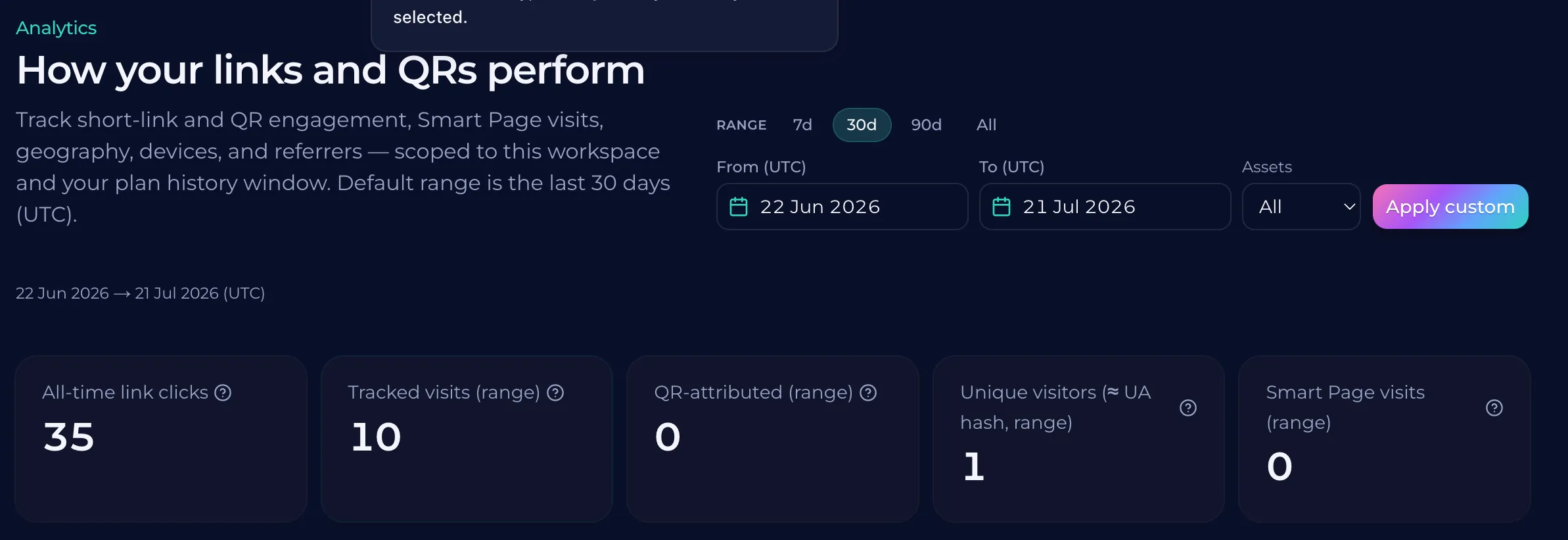
How to measure scan counts and peak times
A printed flyer or a sign on a wall stays in one place while your data flows in. Instead of guessing if people are looking at your offer, you can see exactly how many times the link was accessed. This gives you a clear picture of whether a specific physical location is getting enough attention.
Identifying high-performing locations with geographic data
A printed flyer or a sign on a storefront is often a mystery. You see people walking past it, but you cannot tell if they actually engaged with your offer. Tracking location data from QR scans turns that physical space into a measurable result. A scan from a location near your cafe might mean a local customer reached out. A scan from a different city entirely could indicate a different marketing channel or an influencer's reach. By looking at the rough location of each scan, you can see exactly where your audience is coming from. This data helps you decide where to spend your budget next. If one specific neighborhood shows high engagement, you can put more resources into that area. QURL records these locations so you can stop guessing and start making decisions based on facts.
Understanding device types and user behavior
Knowing whether a user scanned your code with an iPhone or an Android device helps you understand their habits. It shows how they interact with your content on that specific hardware. This data point tells you if your audience is using high-end devices or more common models. Different devices often correlate with different behaviors. A mobile phone might indicate a quick scan to find information, while a tablet might suggest a more deliberate search for details. Tracking these types helps you decide how to optimize the landing page for those specific screens. When you see these patterns, you can adjust your content strategy. If most scans come from tablets, you could create a more detailed layout. If mobile phones are out of the reach of your reach, if they are on the move, you can tailor the approach to offer a quick and easy way to find what they is needed.
Why dynamic QR codes are necessary for tracking
A static QR code is a dead end for data collection. Because it points directly to a URL, there is no middle layer to capture information before the user reaches the destination. You cannot see how many people scanned it or what device they used because the link does not change. A dynamic QR code acts as a redirect. It creates a bridge between the scan and the final destination. This allows the system to log every interaction, such as the time of day and rough location, before sending the user to your page. QURL provides this functionality by using dynamic codes that allow you to track these metrics. Because the code stays the same while the link can change, you can keep a100% accurate record of every scan even if you update the destination later.
Common questions
- Can I specifically scanned the code?
- QURL does not record personal identities or specific user information. It tracks scan volume, device types, and approximate locations to help you understand where your physical marketing is performing best.
- Do static QR codes provide any analytics?
- Static QR codes do not offer tracking capabilities because the link they encode is fixed. To see scan data like device type and location, you need a dynamic QR code that routes through a platform like QURL.
- What information is collected during a scan?
- Each scan records the device type, approximate location, and time of the scan. This data helps you see which physical locations or marketing materials are performing best without identifying individual users.
- How do I know which physical location is offering more scans?
- You can identify the most effective locations by tracking scan data such as time, device type, and rough location. This allows you to see which specific placements, like a flyer or a menu, are driving traffic from different devices or at different times of day.
Keep reading
- How to Prove Marketing ROI to a ClientLearn how to provide defensible data for offline marketing and track the specific impact of physical assets like flyers, posters, and signage.
- What a QR code scan actually tells you, and what it does notLearn exactly what data is captured during a QR code scan, including device type and location, and what personal information is never collected.
- QR Codes and UTM Parameters: How They Work TogetherLearn how QR codes bridge the gap between physical and digital marketing while UTM parameters provide specific tracking data for every click.