
How to Catch an Unhappy Customer Before They Post a Review
Learn how to identify and resolve customer issues in real-time to prevent negative reviews. This guide explains how to provide a direct line of communication to customers.

How to Identify and Resolve Issues in Real-Time
A customer who is frustrated by a slow service or a faulty product is often looking for a way to vent. If they have to search for your contact information or wait for a response on social media, they may choose to post their complaint online instead. Providing a direct, private channel allows you to address their concerns immediately while they are still on site or in your store. By creating a private feedback loop, you can catch these issues before they reach a public forum. This allows you to resolve the problems in the moment. You can offer a help, a refund, or a quick fix. When a customer feels heard, they are less likely to offer a public complaint. This approach ensures that your team can act quickly. You can identify the specific problem and fix it before it becomes a public record. A private channel gives you the chance to be proactive rather than reactive.
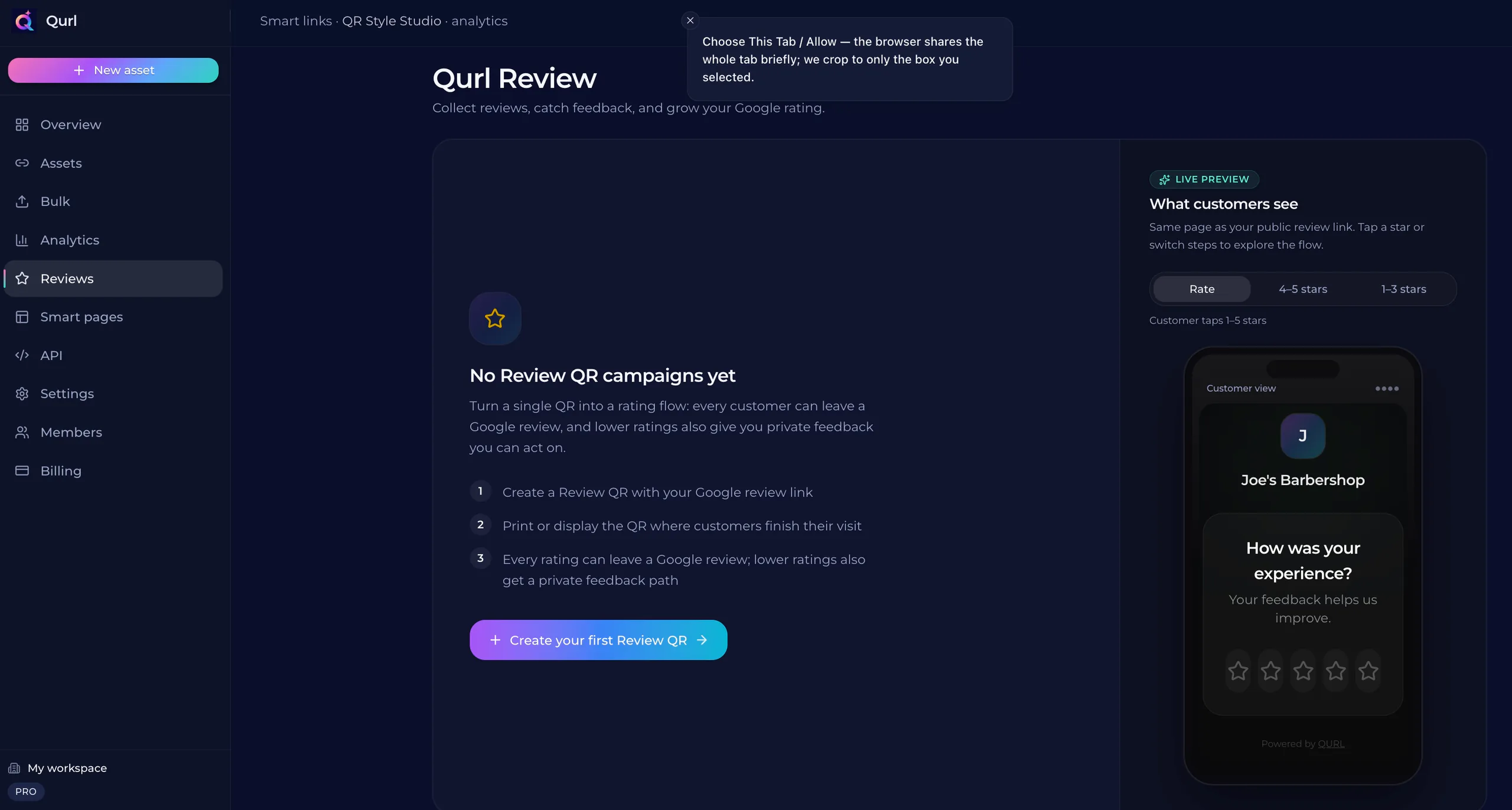
Providing a Direct Line of Communication
A customer who is unhappy with a service or product often wants to be heard. When they feel ignored, they turn to public platforms to vent their frustration. A direct line of communication allows you to address their concerns privately before they reach a public forum. By providing a direct channel, you give the form of communication they prefer. You can offer a specific way to contact you immediately. This keeps the conversation in a private space where you can resolve the issue and make amends. This approach ensures that the customer feels heard. When you provide a direct way to be contacted, you are showing that you value their feedback. You can then work with the customer to find a solution that satisfies both of you.
The Difference Between Internal Feedback and Public Reviews
A public review is a permanent record. Once a customer posts a review on a platform like Google, it stays visible to everyone who visits your business. You cannot remove it or hide it from the public eye. Internal feedback allows you to address a problem while the customer is still in your shop or on your site. It is a private conversation that gives you a chance to feel out the situation and fix the issue immediately. Internal feedback is a tool for improvement. A public review is a tool for reputation. You can use internal channels to learn what is going wrong and fix it before it becomes a public statement.
Why Timing Matters for Customer Satisfaction
A customer who is frustrated by a bad experience is often looking for a way to out. If they have to wait for a follow-up call or a slow email response, their frustration grows. They may decide to post a public review instead. When a customer can reach you immediately, you can address their concerns while they are still on site. This allows you to resolve the issue before it becomes a public record. You can turn a negative experience into a positive one by solving the problem in the moment. Timing is the difference between a private conversation and a public complaint. A quick response can stop a problem from escalating. By providing a direct line of communication, you can catch the issue before it hits the internet.
How to Use a QR Code to Connect Customers Directly
A QR code on a table or a receipt can give customers a direct way to contact you. Instead of waiting for them to leave a review on a Google search, you can provide a link that opens a contact form or a phone call. This allows you to address their concerns while they are still in your shop or restaurant. By using a QR code, you create a shortcut to a direct line of communication. This is a way to find out what went wrong and fix it before it becomes a public review. You can offer as specific as a direct message or a text message. QURL provides a QR code that links to a specific page. You can use this to create a clear path for customers to offer feedback. This ensures that the first point of contact for a feedback loop is a internal communication channel. You can then follow up with the user to resolve the issue before it reaches a public platform.
Common questions
- Can a QR code help me catch unhappy customers?
- A QR code can help you identify unhappy customers by directing them to a private feedback channel before they post a public review. By using a QR code that links to a contact form or a direct message, you can address their concerns privately and resolve the issues before they reach a public platform.
- How do you resolve a customer issue before it becomes public?
- You can provide a direct line of communication to your team, such as a phone number or a service email, on a first-s_t_e_p_t_e_r_m_i_n_e_r_r_e_r_r_o_r_s_t_e_r_m_i_n_e_r_r_e_r_o_r_s_t_e_r_m_i_r_e_r_r_o_r_s_t_e_r_m_i_n_e_r_r_e_r_o_r_s_t_e_r_m_i_n_e_r_r_e_r_o_r_s_t_e_r_m_i_n_e_r_r_e_r_o_r_s_t_e_r_m_i_n_e_r_r_e_r_o_r_s_t_e_r_m_i_r_e_r_r_o_r_s_t_e_r_m_i_n_e_r_r_e_r_o_r_s_t_e_r_m_i_n_e_r_r_e_r_o_r_r_s_t_e_r_m_i_n_e_r_r_e_r_o_r_s_t_e_r_m_i_n_e_r_r_o_r_s_t_e_r_m_i_n_e_r_r_e_r_o_r_s_t_e_r_m_i_n_e_r_r_e_r_o_r_s_t_e_r_m_i_n_e_r_r_e_r_o_r_s_t_e_r_m_i_n_e_r_r_e_r_o_r_s_t_e_r_m_i_n_e_r_r_e_r_o_r_s_t_e_r_m_i_n_e_r_r_e_r_o_r_s_t_e_r_m_i_n_e_r_r_e_r_o_r_s_t_e_r_r_m_i_n_e_r_r_e_r_o_r_s_t_e_r_m_i_n_e_r_r_e_r_o_r_s_t_e_r_m_i_n_e_r_r_e_r_o_r_s_t_e_r_m_i_n_e_r_r_e_r_o_r_s_t_e_r_m_i_n_e_r_r_e_r_o_r_s_t_e_r_m_i_n
- What is the difference between a private feedback form and a survey?
- A private feedback form allows customers to contact you directly to resolve issues before they are made public. A survey is typically used to gather broader data on customer experience or product preferences to improve your overall operations.
- Can a QR code link to a private feedback form?
- Yes, a QR code can link to a private feedback form. You can use a platform to build a form and then create a QR code that sends customers directly to that page, allowing you to're collect feedback privately before they post a public review.
Keep reading
- How to Ask for Reviews Without Being PushyLearn how to reduce friction and use a direct link to Google reviews to make the process effortless for your customers.
- How to add a Google review QR code to your receiptsLearn how to create a direct link to your Google review page and place it on printed materials like receipts and table cards.
- How to Get More Google Reviews with a QR CodeReduce friction by using a QR code that links directly to your Google review page. This removes the search-and--scroll hurdle for customers who want to leave feedback.