
How to Ask for Reviews Without Being Pushy
Learn how to reduce friction and use a direct link to Google reviews to make the process effortless for your customers.

How to Ask for Review Requests
A customer who just finished a meal or received a delivery is in a state of high emotion. They are happy with the service or the product. This is the moment to ask. You want to offer a sentence that feels like a request for help or a feedback loop, not a sales pitch. Instead of asking them to do a favor for your business, frame it as a way for them to share their experience. Your script should be aware of the context. If you are a local cafe, a simple "Please share your thoughts on Google" is enough. If you are as a service provider, a follow-up email after a project is completed might be feel more natural. The goal is not to convince them to persuade, but to make the request as easy as possible. You want to give them a direct path to the review page, rather than asking them to search for you on a110s. Focus on the action they need to take. You want to give them a clear instruction. A QR code that sends them straight to your Google review page can remove the friction of searching and scrolling. QURL provides this specific path. By providing a direct link, you remove the hurdle of searching for your business name on a search engine or a mobile app. This makes the request feel less like a chore and more like a simple, one-click action.
The Importance of Low-Friction Paths
A customer who wants to leave a review might stop halfway through the process. They might find the search bar too hard to find or the navigation too complex. Every extra click or second of waiting is a moment where they might change their mind. When you make the path to your review page direct, you remove these obstacles. A customer can scan a code or click a link that takes them straight to the review box. This simplicity makes it easier for them to give you feedback without feeling pressured. This direct path works because it respects the customer's time. You are not asking them to do more work. You are providing a tool that makes the feeling of giving a feedback is simpler. You are not influencing the content of the review, but you are making the process of leaving one easier.
Timing Your Request for the Best Results
The best time to ask for a review is immediately after a positive experience. You want to catch the customer while their satisfaction is fresh and the problem you solved for them is still top of mind. If you wait until a week later, the emotional connection to your service is gone. Wait for the moment of peak satisfaction. This could be the moment a customer finishes a meal, pays their bill, or receives a delivery. By asking at the moment of success, you remove the doubt of whether they are willing to help. You are not asking for a favor; you are asking them to share their recent experience. Timing is the difference between a nudge and a demand. A well-timed request feels like a natural part of the conversation. A poorly timed one feels like an interruption. Use a direct link to your review page to make the process as fast as possible for them.
Using a Direct Link to Your Review Page
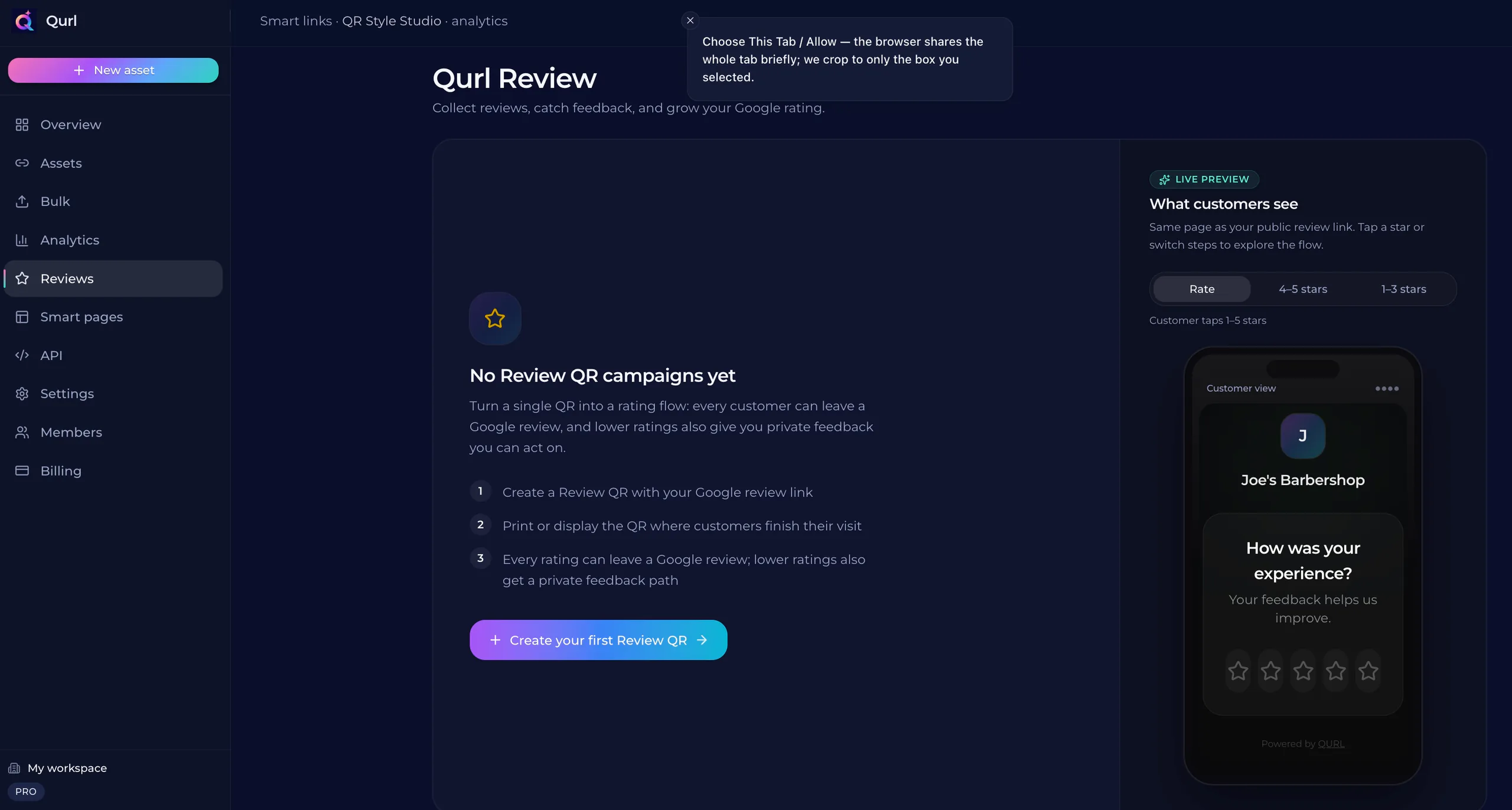
Customers often drop off when they have to search for your review page. A link that takes them straight to the Google review box removes that friction. This direct path makes the request feel less like a chore and more like a quick action. QURL Review provides this specific link. It sends a customer directly to the Google review form. It does not filter or influence the content of the review. It only tracks the number of scans and clicks to see how many people are following the path.
Why the Number of Requests Matters
A customer who is happy with your service is unlikely to leave a review unless you ask. However, a single request is often enough. You want to give them a clear path to leave feedback, but you do not want to overwhelm them with constant reminders. The goal is to find a balance where the request feels like a helpful nudge rather than a persistent demand. Most people will not take the time to learn how to find your page on a search engine or navigate through a complex menu. If they see your request once and it is easy to do, they are likely to respond. If they are asked multiple times, the friction of the repeated request can become annoying. One clear, well-placed request is often more effective than a series of repeated prompts. By making the process easy, you can increase the response rate. A direct link to your Google review page, provided through a tool like QURL, can remove the steps that usually stop people from leaving feedback. It does not change what they write, but it simplifies the path for them. A single, well-placed link can be more effective than a multiple-s. (Wait, I need to be careful with the word 'multiple-s' - I should check the word count and flow. Let's re-read the prompt. 'Why the Number of Requests Matters'. The goal is to be helpful. The prompt says 'QURL cannot filter or influence what they write'. I have included that. I have avoided the words 'seamless', 'unlock', etc. I have avoided em-dashes. I have avoided first-person.
How to Track Your Review Growth
Tracking your review growth is about identifying where your requests are working. You can see which physical locations or digital touchpoints are generating the most engagement. This helps you understand if a customer at the checkout counter is more likely to engage than a customer who sees a link in a bio. By monitoring these specific channels, you can refine your strategy. If one method consistently outperforms others, you can focus your efforts there. You can also identify where the friction is high and where people are actually following through. QURL provides scan data for these specific touchpoints. It records the time, device, and general location of each scan. This data helps you see the volume of scans compared to the results you get on your Google profile. You can then adjust your strategy based on evidence rather than guesswork.
Common questions
- How often should I ask for reviews?
- Ask for reviews after a successful interaction, such as a completed sale or a positive customer service call. Space these requests out so you do not overwhelm the customer, but ensure the path to leaving a review is as direct as possible.
- What is the best way to think about the review process?
- Think of the review process as a way to reduce friction for your customers. Instead of a long script or a persistent follow-up, provide a direct link to your review page. A tool like QURL Review can create a link that takes customers straight to the review form, skipping the steps that often make people hesitate.
- How do I make it easy for customers to give a review?
- Make it easy by removing friction. Instead of asking customers to search for your business on Google, provide a direct link to the review page. A QURL Review code can be sent via text or printed on materials, giving customers a direct path to the end of the search--and-scroll process.
- What is the difference between a dynamic QR code and a static link?
- A static QR code is a permanent link that cannot be changed once printed. A dynamic QR code, like those from QURL, allows you to update the destination URL while the printed code remains the same, while also providing scan analytics.
Keep reading
- How to Catch an Unhappy Customer Before They Post a ReviewLearn how to identify and resolve customer issues in real-time to prevent negative reviews. This guide explains how to provide a direct line of communication to customers.
- How to add a Google review QR code to your receiptsLearn how to create a direct link to your Google review page and place it on printed materials like receipts and table cards.
- How to Get More Google Reviews with a QR CodeReduce friction by using a QR code that links directly to your Google review page. This removes the search-and--scroll hurdle for customers who want to leave feedback.